I remember sitting in a crowded cafe during my junior year at Berkeley, surrounded by half-finished sketches in my paper planner and a chaotic mess of sticky notes that seemed to lead nowhere. It wasn’t a lack of ideas that was draining my energy; it was the mental friction of trying to find them later. We often fall into the trap of thinking that capturing every single thought is the same as being productive, but when your digital workspace is a cluttered graveyard of random scribbles, it actually does the opposite. Finding the best note taking apps isn’t just about finding a place to store data; it’s about finding a way to clear your mental clutter so your brain can finally focus on the work that actually moves the needle.
In this post, I’m cutting through the digital noise to share my curated shortlist of tools that actually support a healthy workflow. I’ve analyzed these options through the lens of both cognitive psychology and practical daily use to ensure they serve your goals rather than becoming another chore on your to-do list. You’re about to discover five distinct ways to organize your brilliance, whether you need a minimalist sanctuary for deep thoughts or a powerhouse system for complex projects. Let’s find the rhythm that works for you.
Table of Contents
- Notion: The All-in-One Digital Brain
- Obsidian: For the Deep Thinkers
- Evernote: The Reliable Old Guard
- Bear: Minimalist Bliss for Focused Writing
- Microsoft OneNote: The Digital Binder
- Finding Your Rhythm with Digital Tools
- The Psychology of the Perfect Tool
- Finding Your Digital Rhythm
- Frequently Asked Questions
Notion: The All-in-One Digital Brain
I often tell my clients that our brains aren’t meant to be storage units; they are meant to be processing centers. Notion is the ultimate tool for anyone who wants to move their entire life—from grocery lists to complex project timelines—into a single, cohesive ecosystem. What I love most about it is the modular design, which allows you to build a workspace that actually mimics the way your unique mind works.
Obsidian: For the Deep Thinkers
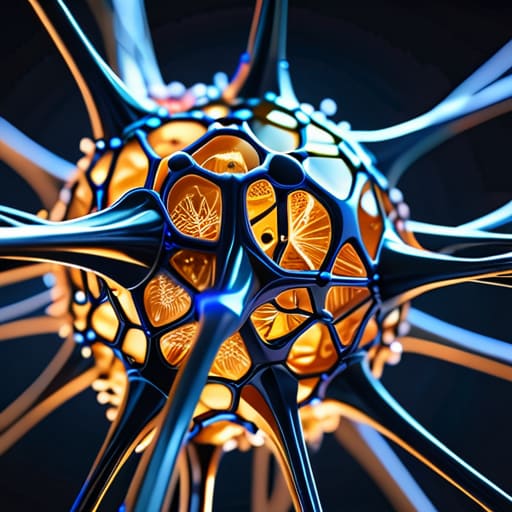
If you’re the kind of person who loves seeing how different ideas connect, Obsidian might just feel like magic. Unlike traditional apps that force you into rigid folders, Obsidian uses a “graph view” that visualizes the links between your notes. It reminds me a lot of the neural networks we studied back at Berkeley; it’s all about understanding the relationships between concepts rather than just filing them away in a digital cabinet.
Evernote: The Reliable Old Guard

There is a certain comfort in familiarity, and Evernote is like that well-worn leather journal that never lets you down. Even with all the new shiny apps hitting the market, Evernote’s ability to capture everything from a quick web clipping to a handwritten note remains remarkably robust. It’s my go-to recommendation for clients who feel overwhelmed by complex setups and just need a “digital junk drawer” that is actually searchable.
Bear: Minimalist Bliss for Focused Writing
Sometimes, the biggest barrier to productivity is simply too much visual noise. When I’m feeling particularly overstimulated, I turn to Bear. It uses a beautiful, clean Markdown interface that strips away the distractions and lets you focus entirely on the act of creation. There are no complex databases or endless sidebars here—just you, your thoughts, and a stunningly elegant typography.
Microsoft OneNote: The Digital Binder
For those of us who grew up with physical three-ring binders, OneNote feels incredibly intuitive. It mimics that tactile experience by allowing you to place text, images, and even handwritten sketches anywhere on an infinite canvas. This spatial freedom is a game-changer for visual learners who find linear note-taking a bit too restrictive for their creative processes.
Finding Your Rhythm with Digital Tools
Remember that the “best” app isn’t the one with the most bells and whistles, but the one that actually reduces your cognitive load and lets you get back to the work that matters.
Use your note-taking system as a way to clear mental clutter, not as a secondary job; if an app feels like a chore to maintain, it’s time to pivot.
Pair your digital tools with intentionality—capture the ideas that spark growth and let the trivial details fade so you can protect your most valuable resource: your focus.
The Psychology of the Perfect Tool
“A note-taking app shouldn’t just be a digital graveyard for your random thoughts; it should be a cognitive extension of your mind that clears the mental clutter, allowing you to stop managing information and start making progress on what actually matters.”
Ella Thompson
Finding Your Digital Rhythm
At the end of the day, choosing between these apps isn’t about finding the one with the most bells and whistles or the slickest interface. It’s about identifying which system aligns with your unique cognitive load and how you process information. Whether you leaned toward the minimalist structure of a simple list-maker or the complex, interconnected web of a digital second brain, the goal remains the same: to reduce friction. Remember, the best app is the one that actually clears your mental clutter rather than adding another layer of digital maintenance to your already busy schedule. Don’t let the pursuit of the “perfect” setup become just another item on your to-do list that causes more stress than it solves.
As I sit here watching the sand trickle through one of my vintage hourglasses, I’m reminded that our time is our most precious, non-renewable resource. Tools are merely extensions of our intentions; they are the scaffolding, not the building itself. Use these apps to capture the sparks of inspiration and the heavy lifting of your daily tasks, but never let them overshadow the actual work that brings you fulfillment. I truly believe that once you find a system that works for your brain, you’ll stop fighting against the clock and start living with intention. You have the power to design a life that feels both productive and deeply meaningful.
Frequently Asked Questions
How do I decide between a simple note-taking app and a complex "second brain" system without getting overwhelmed?
I always tell my clients: don’t build a cathedral when you just need a shed. If your goal is simply capturing fleeting thoughts or grocery lists, a complex “second brain” will become a source of cognitive load rather than a relief. Start with simplicity. Only move toward a more robust system when you feel the friction of lost ideas. Remember, the tool should serve your rhythm, not dictate it.
Is it better to stick to one ecosystem, or should I use different apps for quick captures and long-term project planning?
Honestly, I’m a huge advocate for the “hybrid” approach. While the allure of a single ecosystem is tempting, our brains don’t always work in a linear fashion. I’ve found that using a “quick capture” tool for those fleeting, messy thoughts prevents the mental friction of opening a heavy project manager just to jot down a grocery item. Use a lightweight app for the chaos, then migrate the gold to your long-term planner.
How can I ensure my digital notes don't just become a "junk drawer" of information that I never actually revisit?
I’ve been there—staring at a digital graveyard of “important” screenshots and half-baked thoughts. To stop your notes from becoming a junk drawer, you have to stop treating them like a storage unit and start treating them like a conversation. Implement a “Review and Refine” ritual; maybe once a week, flip through your recent captures. If a note doesn’t spark an action or connect to a larger project, let it go. Curate, don’t just collect.
