I remember sitting at my desk in Berkeley, surrounded by half-finished planners and a growing sense of dread, wondering why I felt so busy yet so unproductive. We’ve all been there—staring at a screen, jumping between tabs, and feeling like we’re running a marathon on a treadmill. It’s easy to fall into the trap of thinking that more tools equal more progress, but the truth is that most of us are just drowning in digital noise. Finding the best productivity apps isn’t about adding more clutter to your life; it’s about finding the digital companions that actually help you reclaim your focus and protect your mental energy.
In this post, I’m cutting through the marketing hype to share five specific tools that I personally use to keep my life in sync. Instead of a generic list of every tool on the market, I’ve curated these based on how they leverage psychological principles to reduce decision fatigue and promote intentionality. By the end of this read, you’ll have a clear roadmap of apps that don’t just manage your tasks, but actually help you prioritize the work that truly matters.
Table of Contents
The Digital Brain for Your Daily Chaos
I used to think that if I didn’t write a task down immediately, it would simply vanish into the ether of my mind. This constant mental looping is what psychologists call cognitive load, and it’s a total productivity killer. That’s why I’ve become such a huge advocate for Todoist. It acts as an external hard drive for your brain, allowing you to offload those nagging “don’t forget to buy milk” thoughts so you can actually focus on your deep work.
Deep Work Sanctuary with Forest

We live in an era of constant digital interruption, and let’s be honest, our phones are often the biggest culprits. I remember a time when I’d pick up my phone to check a single notification and suddenly find myself thirty minutes deep into a social media rabbit hole. I realized I wasn’t just losing time; I was losing my ability to focus. This is where Forest completely changed my relationship with my smartphone.
Visualizing Your Life with Notion
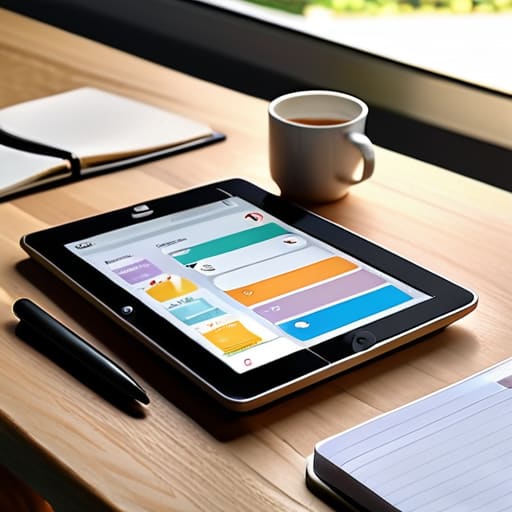
If my bullet journal had a digital soulmate, it would undoubtedly be Notion. For anyone who feels like their life is scattered across a dozen different notebooks and sticky notes, Notion offers a way to create a unified workspace. It’s less of a simple task manager and more of a canvas where you can build a system that actually mirrors the way your brain functions, whether that’s through databases, kanban boards, or simple checklists.
Mastering Your Rhythm with Google Calendar
There is a huge difference between a “to-do list” and a “plan.” A list tells you what you want to do, but a calendar tells you when you are actually going to do it. I’ve found that time-blocking—the practice of scheduling specific blocks of time for specific tasks—is the single most effective way to combat the feeling of being perpetually behind. Google Calendar is the gold standard for this because of its sheer versatility and integration.
Finding Flow with Focus@Will
Sometimes, the hardest part of productivity isn’t the task itself, but the mental transition required to get into the zone. I used to struggle immensely with “startup friction”—that heavy, sluggish feeling when I first sit down to work. I discovered that the right auditory environment can act as a powerful neurological trigger to signal to your brain that it’s time to perform.
Finding Your Rhythm with the Right Tools
Remember that an app is just a tool, not a cure-all; the best one is the one that actually reduces your mental load rather than adding another chore to your list.
Use these digital tools to protect your focus, ensuring you’re spending your energy on high-impact tasks that align with your actual values.
Don’t be afraid to experiment and pivot—productivity is deeply personal, and finding your perfect workflow is a continuous process of trial and error.
The Mindset Behind the Tool
“The most powerful productivity app isn’t the one with the most features or the flashiest interface; it’s the one that creates enough mental space for you to actually breathe and focus on the work that truly matters.”
Ella Thompson
Finding Your Own Rhythm
As we’ve explored, the “best” app isn’t necessarily the one with the flashiest interface or the most complex features; it’s the one that aligns with your unique cognitive needs. Whether you found solace in the structured deep work of a focus timer, the visual clarity of a task manager, or the seamless organization of a digital planner, remember that these tools are meant to serve you, not the other way around. The goal is to use these digital companions to reduce cognitive load and clear the mental clutter that keeps you from your most meaningful work. Don’t feel pressured to adopt every single one of these suggestions at once—pick the one that resonates most with your current workflow and let it settle into your routine.
At the end of the day, no amount of software can replace the intentionality you bring to your own life. I often find myself staring at my vintage hourglasses when I feel overwhelmed by my digital notifications, reminding myself that time is a finite, precious resource. Technology should be a bridge to your goals, not a barrier to your presence. As you move forward, I encourage you to focus less on the pursuit of perfect efficiency and more on the pursuit of purposeful living. Use these apps to reclaim your time, protect your focus, and ultimately, create the space to do what truly matters.
Frequently Asked Questions
How do I avoid the "productivity trap" of spending more time organizing my apps than actually getting my work done?
I call this “productive procrastination,” and I’ve been there—staring at a perfectly color-coded Notion board instead of actually writing my report. To break the cycle, I use a rule I call the “Two-Minute Setup.” If organizing a new tool takes more than two minutes, it’s no longer a tool; it’s a distraction. Pick a system, give yourself a strict time limit to set it up, and then—this is the hard part—close the app and start the work.
Is it better to stick to one all-in-one ecosystem, or is there real value in using a specialized stack of different apps?
I’ve spent many hours staring at my vintage hourglasses, contemplating the “perfect” setup. Honestly? There’s a real psychological tug-of-war here. All-in-one ecosystems offer seamlessness, which reduces the cognitive load of switching tools. However, a specialized stack allows you to pick “best-in-class” tools that actually fit your unique brain chemistry. My advice: start with an ecosystem to build a foundation, then slowly swap in specialized tools only when they truly serve your intentionality.
How can I tell if an app is actually helping my focus or if it's just becoming another source of digital distraction?
It’s a fine line, isn’t it? I used to fall into this trap constantly. Here’s my litmus test: ask yourself, “Am I using this tool to facilitate my work, or am I using the setup of the tool to avoid the work?” If you spend more time color-coding tags and tweaking notifications than actually finishing tasks, the app has become a procrastination engine. If it feels like a chore rather than a shortcut, it’s time to let it go.
