I was sitting at my desk last Tuesday, staring intensely at the sand trickling through my vintage hourglass, waiting for a single research tab to finally—finally—load. I had this entire flow state ready to go, a perfect rhythm of deep work mapped out in my bullet journal, but my computer had other plans. Instead of tackling my client’s strategy, I was stuck in that agonizing loop of watching a spinning loading icon, feeling my focus evaporate with every passing second. It’s incredibly frustrating because we often think the solution is buying a more expensive machine, but the truth is that learning how to speed up your browser is actually about reducing cognitive friction.
I’m not here to sell you on some shady “speed booster” software or suggest you overhaul your entire hardware setup. My goal is to help you reclaim your mental energy by stripping away the digital clutter that’s hijacking your attention. I’m going to share the exact, no-nonsense steps I use to optimize my own workspace, focusing on practical, psychology-backed tweaks that turn your browser from a sluggish distraction into a streamlined tool for productivity. Let’s stop fighting our technology and start making it work for our true intentions.
Table of Contents
- Clear Browser Cache and Cookies to Reclaim Mental Clarity
- Disable Unnecessary Extensions to Protect Your Intentional Workflow
- Five More Ways to Quiet the Digital Noise and Boost Your Flow
- Protecting Your Digital Sanctuary: Quick Wins for a Faster Workflow
- The Psychology of Digital Friction
- Protecting Your Digital Sanctuary
- Frequently Asked Questions
Clear Browser Cache and Cookies to Reclaim Mental Clarity
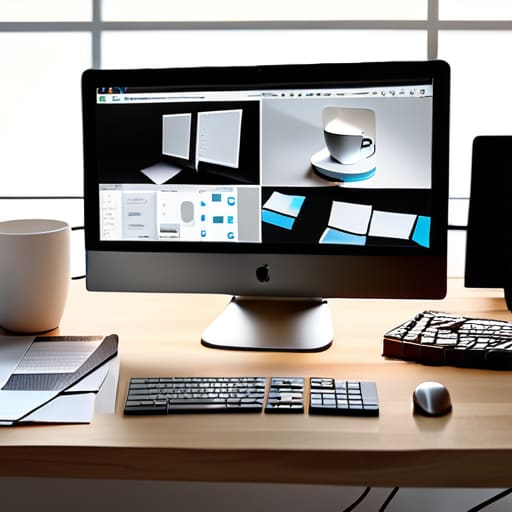
I often tell my clients that our digital workspaces should reflect the mental clarity we strive for in our physical ones. If your desk is buried under old coffee mugs and loose papers, your brain struggles to focus; the same principle applies to your digital environment. When you let your browser accumulate months of temporary files, you’re essentially building a mountain of digital clutter that slows down every single click. To fix this, you need to clear browser cache and cookies regularly. It’s much like a quick spring cleaning for your computer—it flushes out the stale data that’s dragging your performance down.
Think of this process as a way to reset your digital rhythm. When your browser is bogged down by heavy, outdated files, your frustration levels rise, and your ability to enter a state of flow vanishes. By taking just two minutes to purge that excess weight, you’ll notice an immediate improvement in how snappy your tabs feel. It’s a small, intentional act of maintenance that helps you optimize web browsing speed and, more importantly, preserves your most valuable resource: your focus.
Disable Unnecessary Extensions to Protect Your Intentional Workflow

I remember a time when my digital workspace felt like a cluttered desk covered in sticky notes I never actually read. I had every “productivity” extension imaginable—coupon hunters, color pickers, and endless tab managers—thinking they were helping me. In reality, they were just digital noise. When you disable unnecessary extensions, you aren’t just making your computer run faster; you are performing a vital act of digital decluttering. Every single plugin you have running is a tiny piece of software competing for your attention and your computer’s limited resources.
From a psychological standpoint, these tools often create a “false sense of productivity” that actually fragments our focus. To truly reduce browser memory usage and regain your flow, I recommend a weekly audit. Go through your list and ask yourself: “Does this tool serve my current goals, or is it just taking up space?” If you haven’t clicked it in a month, it’s time to let it go. By stripping your browser down to only the essentials, you create a streamlined environment that respects your deep work and protects your most valuable asset: your cognitive energy.
Five More Ways to Quiet the Digital Noise and Boost Your Flow
- Audit Your Open Tabs to Stop the Cognitive Leaks: We’ve all been there—having forty-seven tabs open like a digital scavenger hunt. Every single one of those tabs is a tiny, invisible demand on your attention. I like to use a “one-window” rule; if a tab isn’t essential to the task I’m tackling right now, I either bookmark it for later or close it entirely. It’s amazing how much faster your browser (and your brain) feels when you aren’t juggling a dozen half-finished thoughts.
- Streamline Your Startup Page for a Mindful Beginning: What’s the first thing you see when you open your browser? If it’s a chaotic news feed or a cluttered portal of bookmarks, you’re starting your session in a reactive state. I recommend setting your homepage to a clean, blank page or a simple, calming dashboard. By controlling your digital entry point, you dictate the terms of your focus rather than letting the internet dictate them to you.
- Update Your Browser to Leverage the Latest Efficiency Gains: It sounds technical, but think of it as maintaining your tools. Browser developers are constantly refining how software handles memory and processing power. Skipping those updates is like trying to run a marathon in heavy, outdated boots. Keep your browser current so you can benefit from the latest background optimizations that keep everything running smoothly.
- Manage Your Bookmarks to Prevent Decision Fatigue: A massive, unorganized bookmark bar is just another form of digital clutter. When you spend three minutes hunting for that one specific resource, you’re breaking your deep work state. I suggest a “minimalist” approach: create a few high-level folders for your most frequent projects and prune the rest. A clean interface leads to a cleaner mental workspace.
- Use Hardware Acceleration to Offload the Heavy Lifting: If you find your browser stuttering when you’re working with high-resolution images or complex web apps, check your settings for hardware acceleration. This allows your browser to tap into your computer’s GPU, taking some of the pressure off your main processor. It’s a small tweak, but it can make the difference between a seamless experience and a frustratingly laggy one.
Protecting Your Digital Sanctuary: Quick Wins for a Faster Workflow
Treat your browser like your physical workspace; by clearing out the digital “clutter” of old cache and heavy extensions, you’re actually reducing the cognitive load that drains your mental energy.
Speed isn’t just about technical performance—it’s about removing the friction between your intention and your action so you can enter a state of deep work more easily.
Periodically auditing your digital tools is a form of self-care that ensures your technology serves your goals rather than hijacking your focus with unnecessary distractions.
The Psychology of Digital Friction
“A sluggish browser is more than just a technical annoyance; it’s a constant, subtle drain on your cognitive energy. When we let digital clutter slow us down, we aren’t just losing seconds—we’re losing the precious mental momentum required to do our best work.”
Ella Thompson
Protecting Your Digital Sanctuary

At the end of the day, speeding up your browser is about much more than just shaving a few seconds off a page load time; it’s about minimizing the friction between your intentions and your actions. By clearing out that stale cache and being ruthless about which extensions you allow to run in the background, you aren’t just optimizing software—you are actively curating your digital environment. We’ve looked at how these small technical adjustments prevent the cognitive overload that comes from a sluggish, cluttered interface, allowing you to move through your tasks with much more fluidity and much less frustration.
As I sit here watching the sand trickle through my favorite vintage hourglass, I’m reminded that our attention is our most precious resource. Don’t let a spinning loading icon or a hijacked tab steal your mental energy away from the projects that actually fulfill you. Treat your browser like a workspace: keep it lean, keep it intentional, and keep it focused. Remember, true productivity isn’t about how many tabs you can have open at once, but about having the clarity and speed to pursue what truly matters. You have the tools; now, go reclaim your flow.
Frequently Asked Questions
If I clear my cache and cookies to speed things up, will I lose all my saved passwords and login information?
That is such a common anxiety, and honestly, I get it—the thought of losing all those complex passwords is enough to make anyone hesitate! The short answer is: no, you won’t lose your passwords as long as you’re careful about which boxes you check. When you go into your settings, just make sure “Passwords” isn’t selected. Focus only on “Cookies” and “Cached images and files.” That way, you clear the digital clutter without losing your access.
How can I tell which specific extensions are secretly draining my computer's memory and slowing me down?
To find the culprits, you don’t have to play a guessing game. Most browsers have a built-in “Task Manager”—just hit Shift + Esc on Chrome or Edge. It’s a game-changer! It shows you exactly how much memory and CPU each extension is hogging in real-time. I always treat this like a digital audit; if an extension is eating up resources without adding true value to your workflow, it’s time to let it go.
Is there a way to optimize my browser without constantly having to manually clear out my data every single week?
I completely hear you—manual maintenance can feel like just another chore on an already overflowing to-do list. Instead of playing digital janitor every week, let’s set your browser on autopilot. Go into your settings and enable “Clear cookies and site data when you close all windows.” It’s a game-changer. By automating this, you’re building a sustainable system that protects your focus without requiring constant willpower. Let the tech work for you!
