I was sitting at my desk last Tuesday, staring at one of my vintage hourglasses as the sand trickled down, when the realization hit me like a cold splash of water: I had spent forty minutes recovering a locked account because I thought my complex password was enough. We’ve been sold this myth that a “strong” password is the ultimate fortress, but in reality, relying on a single line of defense is just asking for chaos. When people ask me what is two step verification, they usually expect a dry, technical lecture on encryption, but I see it differently. It’s not just a tech requirement; it’s a fundamental tool for protecting your mental bandwidth from the sheer exhaustion of digital identity theft.
In this post, I’m stripping away the jargon to give you a straight-shooting guide on how this actually works in your daily life. I won’t bore you with fluff or overcomplicated security manuals; instead, I’ll share the practical, psychology-backed ways you can implement this to reclaim your peace of mind. My goal is to help you build a digital routine that is as seamless and intentional as a well-planned bullet journal.
Table of Contents
- Multi Factor Authentication Explained Protecting Your Digital Peace of Mind
- Protecting Online Accounts From Hackers With Intentional Security
- Small Habits, Big Security: 5 Ways to Make 2FA Work for You
- Making Security a Seamless Part of Your Daily Rhythm
- The Psychology of Digital Boundaries
- Securing Your Digital Rhythm
- Frequently Asked Questions
Multi Factor Authentication Explained Protecting Your Digital Peace of Mind
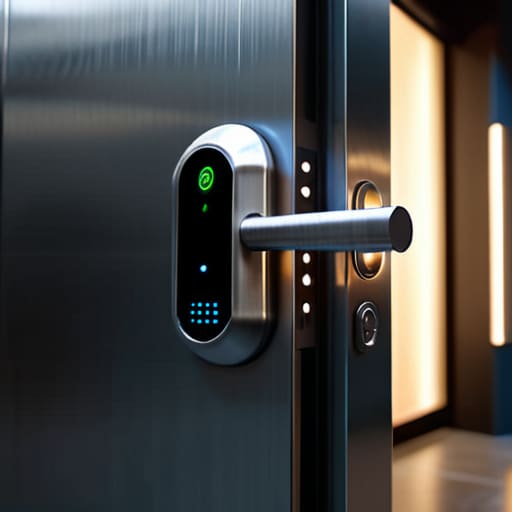
When we talk about multi-factor authentication explained, it’s helpful to step away from the technical jargon and look at it through the lens of mental energy. Think of your password as the front door to your home. It’s a vital first line of defense, but if someone manages to copy your key, they’re in. MFA acts like a secondary, reinforced deadbolt that requires a completely different kind of key—something you possess, like your smartphone or even your fingerprint. By adding these extra layers, you aren’t just adding complexity; you are creating a buffer that prevents a single point of failure from turning into a digital catastrophe.
Choosing between different security authentication methods often comes down to your personal workflow and how much friction you’re willing to tolerate. For instance, many of my clients prefer using an authenticator app vs sms code because apps are generally more secure and don’t rely on vulnerable cellular networks. If you’re looking for the ultimate seamless experience, exploring the biometric verification benefits—like using FaceID—can make securing your accounts feel like a natural, effortless part of your morning routine rather than a chore.
Protecting Online Accounts From Hackers With Intentional Security
When I first started my consultancy, I realized that many people view security as a chore—another task cluttering an already overflowing to-do list. But I want you to shift your perspective. Think of protecting online accounts from hackers not as a digital burden, but as a form of boundary setting. Just as we set boundaries in our personal lives to preserve our mental energy, implementing robust security protocols ensures that a single compromised password doesn’t spiral into a chaotic week of identity theft and stress recovery.
Choosing your preferred security authentication methods is where you can truly tailor your workflow. For instance, you might find yourself weighing the pros and cons of an authenticator app vs sms code. While receiving a text is convenient, I often recommend using an app; it’s more reliable and keeps your security within a dedicated space on your device, much like how I use my vintage hourglasses to create a dedicated pocket of mindfulness. By taking a few minutes today to learn how to enable 2FA across your most vital platforms, you are essentially investing in your future peace of mind.
Small Habits, Big Security: 5 Ways to Make 2FA Work for You
- Prioritize Authenticator Apps over SMS. While text message codes are better than nothing, they can be intercepted through SIM swapping. Using an app like Google Authenticator or Authy adds a layer of psychological security, knowing your “key” is physically tied to your device.
- Treat your Backup Codes like a Golden Hour. When you set up 2FA, you’ll get emergency recovery codes. Don’t just leave them in a random folder; treat them like your most important planner entry. Print them out or store them in a secure physical location so you aren’t left scrambling when technology fails.
- Audit your most “high-stakes” accounts first. You don’t need to overhaul your entire digital life in one afternoon—that’s a recipe for burnout. Start with your email and banking. These are your digital foundations; securing them first provides the immediate peace of mind you need to focus on deeper work.
- Embrace the “Friction is Good” mindset. In productivity, we often try to eliminate all friction, but in security, a little bit of intentional friction is your best friend. That extra ten seconds it takes to tap an app is a small, mindful pause that prevents a massive, chaotic headache down the road.
- Use Hardware Keys for your most sensitive data. If you’re someone who manages high-level projects or sensitive client info, investing in a physical security key (like a YubiKey) is the ultimate way to automate your protection. It turns security into a seamless, tactile habit that feels almost as satisfying as checking off a task in my bullet journal.
Making Security a Seamless Part of Your Daily Rhythm
View two-step verification not as a digital hurdle, but as a vital boundary that protects your mental energy from the chaos of security breaches.
Prioritize high-impact accounts—like your email and banking—to ensure your most essential digital assets are guarded by the strongest layers of defense.
Embrace these small, intentional security habits as a form of digital mindfulness, allowing you to focus on your meaningful work without the constant worry of being compromised.
The Psychology of Digital Boundaries
“Think of two-step verification not as an extra chore on your to-do list, but as a vital boundary for your mental space; it’s the digital equivalent of locking your front door so you can truly relax and focus on what actually matters.”
Ella Thompson
Securing Your Digital Rhythm
At its core, implementing two-step verification isn’t just another chore to add to your to-do list; it is a fundamental step in protecting your mental bandwidth. By moving beyond simple passwords and embracing multi-factor authentication, you are effectively building a fortress around your digital life. We’ve explored how this extra layer of security acts as a buffer against hackers, ensuring that a single compromised password doesn’t lead to a total collapse of your digital peace. Remember, the goal is to automate your safety so that you can spend less time worrying about breaches and more time focusing on the tasks that actually move the needle for you.
Ultimately, I want you to view digital security through the lens of intentionality. Just as I use my vintage hourglasses to remind myself to stay present, I want you to use these security habits to stay focused and unburdened. When you take five minutes today to toggle that two-step verification switch on your most important accounts, you aren’t just checking a box—you are reclaiming your energy from the potential chaos of a security crisis. You deserve a life where your focus is protected, and true productivity begins with a foundation of safety. Go ahead, secure your accounts, and then get back to doing what truly matters.
Frequently Asked Questions
Will setting up two-step verification slow me down or disrupt my daily workflow?
I completely understand that hesitation—as someone who lives for a seamless workflow, the thought of adding “friction” to my day is a bit daunting. But here’s the psychological shift: think of that extra thirty seconds not as a disruption, but as a mindful checkpoint. It’s a tiny investment that prevents the massive, soul-crushing chaos of a compromised account. Once you set up trusted devices, it becomes a seamless, almost subconscious habit that actually protects your mental energy.
What should I do if I lose my phone or can't access my authentication app when I'm trying to log in?
It’s incredibly stressful when a digital roadblock disrupts your flow, but don’t panic. This is exactly why I always advocate for “contingency planning” in my productivity routines. Before you lose access, ensure you’ve saved your backup codes in a secure, physical location—think of them as your digital safety net. If you’re already locked out, look for “Account Recovery” options or use a secondary device you’ve previously trusted. Staying prepared keeps the chaos at bay.
Is it better to use SMS text codes or a dedicated authenticator app for the best balance of security and ease?
If you’re looking for that sweet spot between security and mental ease, I always recommend a dedicated authenticator app over SMS. While text codes are better than nothing, they’re vulnerable to SIM swapping—a distraction you definitely don’t need. An app like Google Authenticator or Authy is faster, works offline, and keeps your digital life streamlined. It’s a small habit that protects your focus by ensuring your most important accounts stay truly secure.
