I remember sitting in my home office last Tuesday, staring at my own reflection on a Zoom window and feeling that sudden, sharp pang of imposter syndrome. I wasn’t wearing a designer suit or sitting in a studio; I was in my favorite oversized sweater, lit by a single, harsh overhead bulb that made me look like I hadn’t slept since 2019. We’ve been sold this lie that learning how to look better on video calls requires a massive investment in ring lights, high-end DSLR cameras, and a professional-grade backdrop. But honestly? Most of that is just performative productivity that eats up your time and drains your energy without actually improving your presence.
I’m not here to sell you a shopping list of expensive gadgets that will clutter your desk and your mind. Instead, I want to share a few psychology-backed, intentional tweaks to your environment and setup that actually foster genuine connection. We’re going to focus on the small, high-impact shifts—like mastering natural light and optimizing your eye level—that allow you to show up as your most authentic, confident self. Let’s strip away the technical fluff and get down to what actually works.
Table of Contents
- Mastering the Professional Webcam Lighting Setup
- Finding the Best Camera Angles for Video Meetings
- Beyond the Lens: Curating Your Digital Presence for Authentic Connection
- Small Shifts for a More Authentic Presence
- The Psychology of Presence
- Beyond the Pixels: Finding Your Digital Presence
- Frequently Asked Questions
Mastering the Professional Webcam Lighting Setup
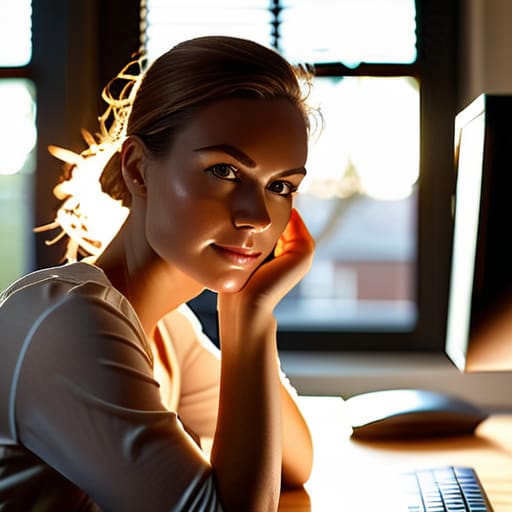
I remember my first major remote presentation; I was so focused on my slide deck that I didn’t realize I looked like a shadowy figure in a witness protection program. It turns out, your lighting dictates how much authority and warmth you project. To achieve a truly professional webcam lighting setup, you don’t need to invest in a studio-grade ring light. Instead, try to position yourself facing a window. Natural light is incredibly forgiving and helps you look more vibrant and awake. If you’re working late into the evening, place a soft lamp behind your monitor to mimic that frontal glow, rather than having a harsh overhead light casting deep shadows under your eyes.
The goal is to create a sense of presence and clarity. When your face is well-lit, you reduce the cognitive load on your audience, making it easier for them to read your expressions and connect with your message. By intentionally managing your light sources, you aren’t just fixing a visual glitch; you are actively enhancing your remote work professional appearance and signaling to your team that you are fully present and prepared.
Finding the Best Camera Angles for Video Meetings
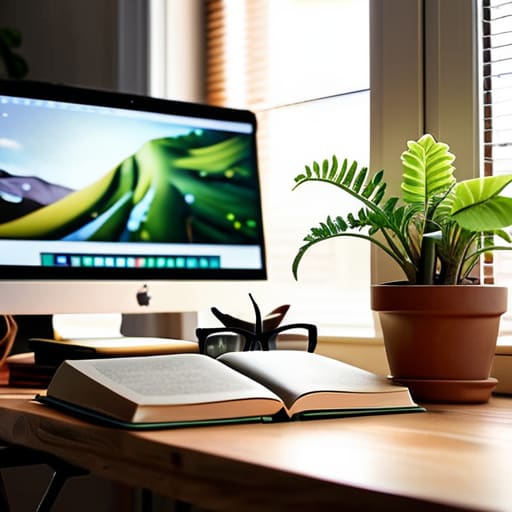
Once you’ve nailed your professional webcam lighting setup, the next thing I always tell my clients is to stop looking down at your laptop. We’ve all been there—stuck in that awkward “double chin” angle because our screens are resting on the desk. It’s a subtle psychological shift, but when you position your camera at eye level, you immediately project more confidence and presence. I personally use a small stack of vintage books or a dedicated laptop stand to lift my device. This slight adjustment ensures you’re looking your colleagues in the eye, fostering a sense of connection rather than looking like you’re looming over them.
Beyond just height, think about the depth of your space. Instead of pressing your back against a flat wall, try to sit a few feet away from your background. This creates a soft sense of depth that helps in minimizing background distractions and prevents you from looking like a floating head in a digital void. Finding the best camera angles for video meetings is really about creating a balanced frame that feels natural and intentional, allowing your personality to shine through without the technical hiccups getting in the way.
Beyond the Lens: Curating Your Digital Presence for Authentic Connection
- Audit your background for “visual noise.” I’ve found that a cluttered bookshelf or a distracting pile of laundry in the frame creates subconscious cognitive load for your viewers. Instead, aim for a space that feels intentional—even if it’s just a clean corner of your room—so your audience can focus on your words rather than your surroundings.
- Dress for the mindset, not just the camera. While it’s tempting to stay in your loungewear, I always recommend putting on something that makes you feel “on.” This isn’t about formal suits; it’s about the psychological shift that happens when you dress with intention, which actually boosts your confidence and presence during the call.
- Master the art of digital eye contact. It feels unnatural at first, but try to look directly into the camera lens rather than at the person’s face on your screen when you’re speaking. This small adjustment mimics real-world eye contact and makes your interlocutor feel truly seen and heard, fostering a much deeper sense of connection.
- Optimize your audio to reduce “listening fatigue.” We often obsess over how we look, but how we sound is just as vital for engagement. If you can, invest in a decent external microphone or even a simple set of earbuds; reducing background hiss and echo prevents your listeners from working too hard just to hear you, keeping them engaged in your message.
- Use “micro-gestures” to convey energy. Because video strips away so much of our natural body language, we tend to become static and “flat.” I encourage my clients to use purposeful hand gestures within the frame and to nod more visibly to show active listening; these small, intentional movements help bridge the digital gap and bring your personality to life.
Small Shifts for a More Authentic Presence
Prioritize intentionality over expensive gear; a well-placed lamp and a thoughtful background do more for your professional presence than a high-end camera ever could.
Use your camera angle to foster connection rather than authority, ensuring you’re looking “at” your colleagues rather than “down” on them.
View your digital setup as an extension of your personal environment, using subtle visual cues to reduce cognitive load and help you stay present in the conversation.
The Psychology of Presence
“Looking your best on camera isn’t about achieving cinematic perfection; it’s about removing the visual friction that distracts from your message, allowing your true confidence and intention to take center stage.”
Ella Thompson
Beyond the Pixels: Finding Your Digital Presence
At the end of the day, looking “better” on screen isn’t about achieving some unattainable standard of cinematic perfection. It’s about the intentionality behind your setup. We’ve talked about how the right lighting can soften your features, how a strategic camera angle prevents that awkward “looking down” effect, and how a clean background minimizes cognitive load for everyone in the meeting. When you master these small, technical adjustments, you aren’t just fixing a video feed; you are removing the friction that stands between you and a meaningful conversation. By optimizing your environment, you ensure that your message—not a distracting shadow or a poorly framed shot—is what truly takes center stage.
As I often remind my clients, productivity and presence are deeply intertwined. When you show up to a digital space feeling prepared and visually grounded, you carry yourself with a different kind of confidence. Remember, the goal isn’t to hide behind a filter, but to show up authentically and with intention. Use these tools to clear the path so your personality and expertise can shine through the screen. You have so much value to contribute to the world; don’t let a bad camera angle get in the way of your unique rhythm and connection.
Frequently Asked Questions
How can I manage to look professional on camera when I'm working from a cramped or cluttered apartment?
I’ve been there—trying to look polished while a mountain of laundry looms just inches out of frame. When space is tight, stop fighting your environment and start curating your “visual zone.” Use a shallow depth of field by sitting further from your background, or invest in a simple, neutral folding screen. My favorite hack? A clean, solid-colored wall. It’s not about having a home office; it’s about creating a intentional, focused micro-space.
Are there specific psychological tricks to using my background to build more trust and rapport with my clients?
Think of your background as silent communication. In psychology, we talk about “environmental cues”—the subtle signals that tell a story before you even speak. To build rapport, aim for “curated authenticity.” A bookshelf suggests expertise, while a few healthy plants signal stability and care. Avoid sterile, empty walls, which can feel cold and untrustworthy. Instead, choose a space that feels intentional and warm, creating a psychological “safety zone” that invites connection.
What can I do to minimize the "Zoom fatigue" that comes from staring at my own reflection all day?
I completely get this—it’s a psychological phenomenon called “self-mirroring,” and it can be incredibly draining. When we’re constantly hyper-aware of our own reflection, our brains stay in a state of high self-monitoring, which is exhausting. My best advice? Hide your self-view. Most platforms allow you to “Hide Self-View” so you can still see others without the constant distraction of your own face. It’s a small, intentional shift that lets you focus on the connection rather than the reflection.
